
Public Profile
Your study progress, public if you want it
Every Scholar account gets a public profile page — a permanent URL showing your study streaks, milestones, and any decks you've published to Shared Decks. Share it in your bio, a class introduction, or just keep it for yourself.
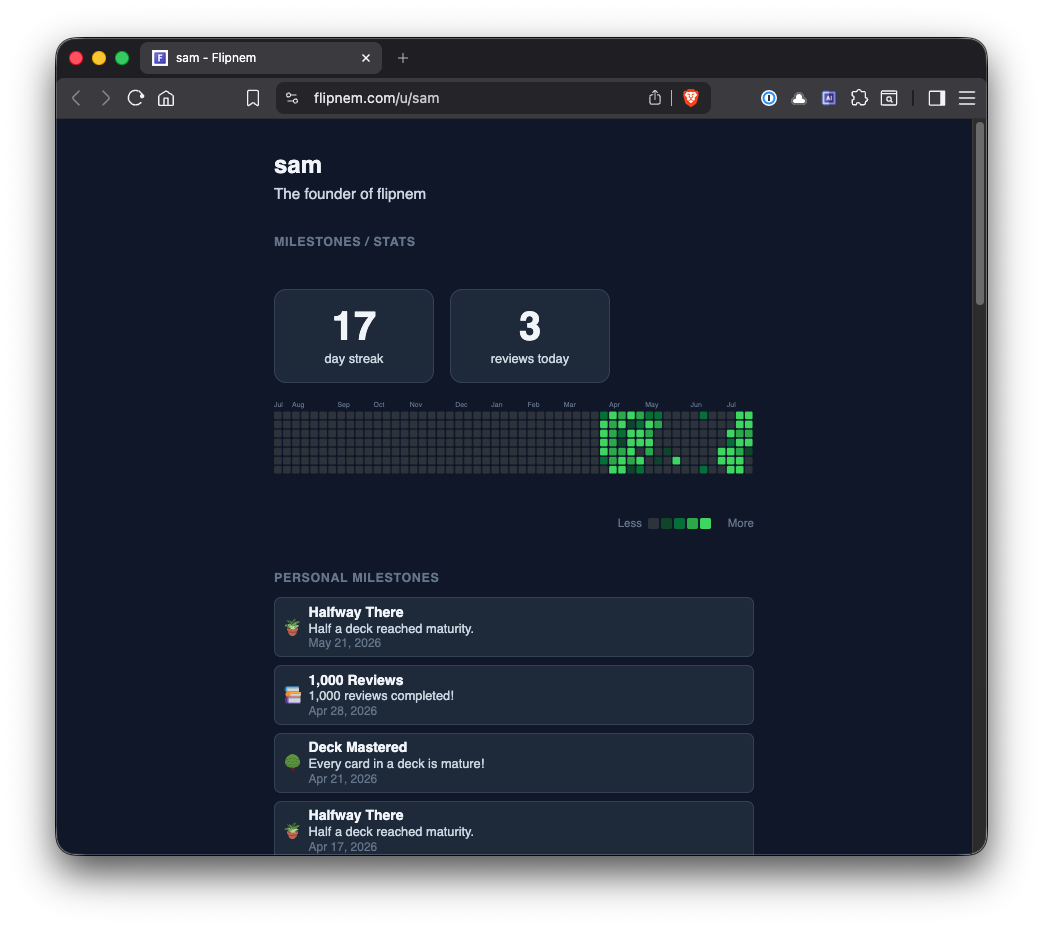
A permanent, shareable record of your progress — Shared Decks included
What's on your profile
A permanent record of your progress
- Activity heatmap showing your study streak across the year
- Personal milestones and badges for study habits and consistency
- Deck milestones tracking maturity progress per deck
- Shared decks tab — a one-stop shop for everything you have published for your peer group or students to bookmark
- Custom bio to introduce yourself to visitors
FAQ
Common questions
Do I need Scholar to get a public profile?
Yes — a public profile page comes included with every Scholar account.
What shows up on my profile?
An activity heatmap, study milestones and badges, per-deck maturity progress, a tab for anything you've shared publicly, and a custom bio.
Can I see an example before signing up?
Yes — take a look at Sam's public profile for a live example.
Does my profile show every deck I own?
No — the shared decks tab only lists what you've explicitly published; the rest of your library stays private.
Get started
Show the world what you're learning
Free to start — every new account gets a 15-day Scholar trial, no card required.