Anki vs Quizlet
Anki vs Quizlet: an honest comparison
Both are flashcard apps, but they solve different problems. Quizlet is built to get you ready for a test quickly. Anki is built to make you remember things for years. Here’s how they differ on scheduling, effort, mobile and price, and how to choose.
At a glance
Anki vs Quizlet, side by side
| Feature | Anki | Quizlet |
|---|---|---|
| What decides what you study | A spaced-repetition scheduler (FSRS or the older SM-2) sets a due date for every card | You choose a set and a mode; Learn builds a study path from your answers |
| Study modes | Flashcard review: show the answer, rate Again, Hard, Good or Easy | Flashcards, Learn, Test, Match and other games, plus a Spaced Repetition mode on the website |
| Card types | Basic, reversed, type-in, cloze, Image Occlusion, and custom HTML/CSS templates | Term and definition with images and text-to-speech; diagrams |
| Ready-made content | Shared decks on AnkiWeb, plus large community decks for medicine and languages | A huge library of user-made sets for school and test subjects |
| Price | Free on computers, Android and the web; AnkiMobile (iPhone) $24.99 once | Free tier with limits; Quizlet Plus about $35.99 a year |
| Offline | Yes, everything is stored on your device | Offline sets in the apps are a paid feature |
| Customization | Deep: deck options, templates, hundreds of add-ons | Light: a few study settings per set |
| Learning curve | Steep for the first week or two | Minutes |
| Open source | Yes | No |
Checked November 21, 2026 against Anki’s download page, the AnkiMobile App Store listing, the Anki manual and Quizlet’s help center. US prices; Quizlet’s change by country and promotion, so check before you buy. Flipnem isn’t affiliated with Anki or Quizlet.
The core difference
Scheduling: FSRS vs Learn mode and games
Forgetting follows a curve: you lose a new fact fast, then more slowly each time you successfully recall it. Spaced repetition puts each review just before you’d forget, which is why it beats rereading or cramming for anything you need to keep.
Anki
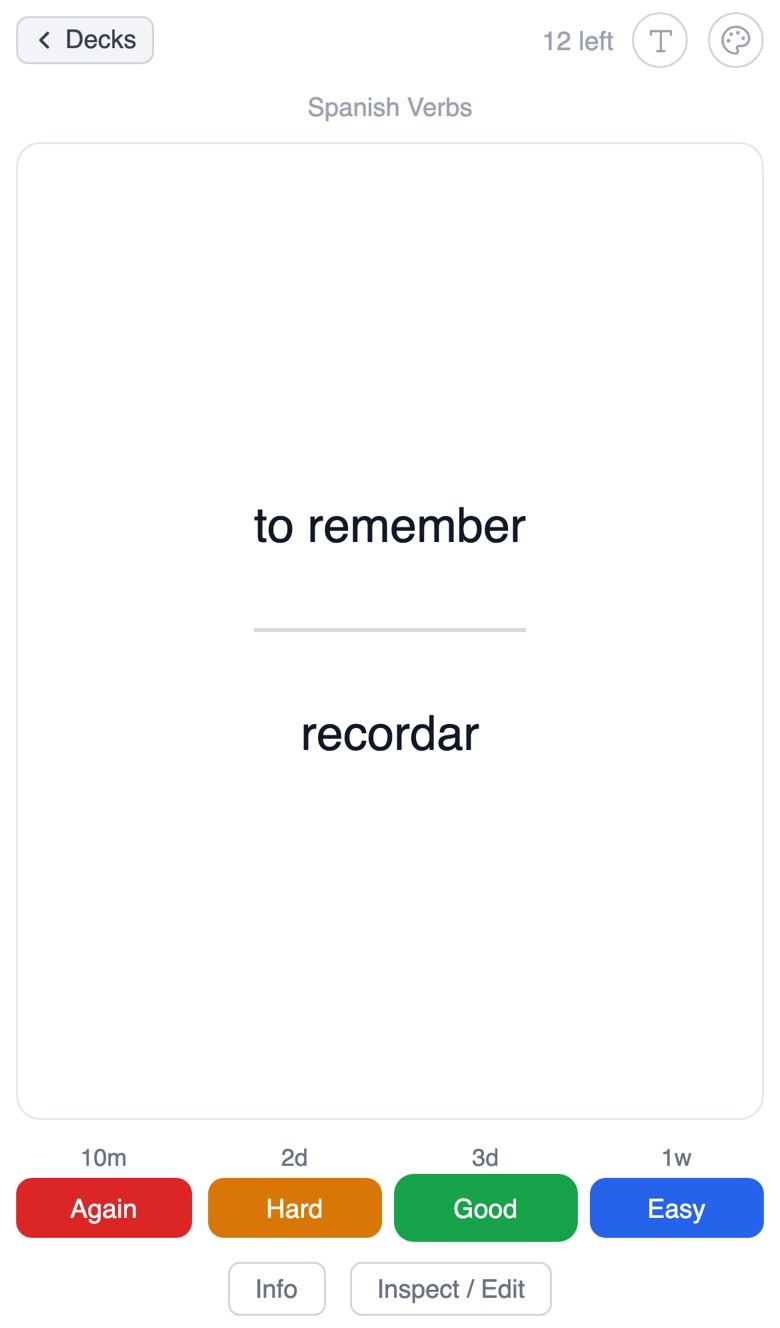
Every card in every deck has its own due date. When you answer, you rate it Again, Hard, Good or Easy and the scheduler works out the next date. Anki offers two schedulers: the long-standing SM-2 and FSRS, a newer model that predicts how likely you are to remember each card and aims for the retention you choose, 90% by default. You open the app, do today’s cards and stop. Anki decides the rest.
Quizlet
Quizlet starts from a set and lets you choose how to study it. Learn mode mixes multiple choice and written questions and adapts to what you get wrong; Test builds a practice exam; Match and the other games make review feel like play. Quizlet’s help center also describes a Spaced Repetition mode on the website, where you rate how well you recalled each card. It’s a mode you go to, not the default for every set, and Quizlet doesn’t publish how it picks the dates.
In practice: Quizlet is strong at getting a set into your head this week. Anki is strong at keeping thousands of cards there next year.
The honest cost
How much work each one takes
Quizlet asks very little. Search for a set or paste in terms, press Learn, and you’re studying in a minute. Skip a week and nothing piles up.
Anki asks for setup and a habit. The first week usually means learning note types, deck options and sync, and deciding whether to make your own cards or use a shared deck. After that, Anki only works if you open it most days. Miss a few and the reviews pile up, which is the most common reason people give up on it.
The payoff for that effort is efficiency. Because Anki only shows you cards you’re about to forget, ten or twenty minutes a day can hold thousands of cards. That’s why people studying for multi-year goals put up with the learning curve.
Pricing, November 2026
Pricing and mobile apps
Anki
- Anki desktop (Mac, Windows, Linux): free and open source
- AnkiDroid (Android): free, built by volunteers
- AnkiWeb (browser and sync): free
- AnkiMobile (iPhone, iPad): $24.99 once on the US App Store, with free sync and no subscription; the purchase funds Anki’s development
Quizlet
- Free: browse and make sets, flashcards and some games, with ads and limits on Learn and practice tests
- Quizlet Plus: about $35.99 a year in the US, or more paid monthly; removes ads and adds offline sets and more Learn and Test use
- Apps for iPhone, Android and the web, all on one account
On a phone, Quizlet is the smoother start: one free app, signed in everywhere. Anki on Android is free; on iPhone it’s AnkiMobile at $24.99, or AnkiWeb in Safari, which reviews cards but can’t import decks on its own. For other ways to study Anki decks on iPhone, see Anki for iPhone and iPad.
Which is right for you
When each one is the better pick
Quizlet is the better pick when…
- Your test is days or a couple of weeks away
- Your teacher or class already shares Quizlet sets
- You like games, or you study with friends
- You want to start in a minute and won’t study every day
- The material is a few hundred terms, not thousands
Anki is the better pick when…
- You need to remember it for months or years
- There are thousands of cards: medicine, law, a language
- A community deck already covers your exam
- You want cloze deletions, Image Occlusion or custom templates
- You want it free, offline and open source, and don’t mind setup
A third option
Anki-style scheduling without the setup
Flipnem is our app, so weigh this accordingly. It’s for people who want Anki’s scheduling but find Anki’s setup the hard part. FSRS is on by default with nothing to tune, it runs in any browser including Safari on iPhone, and your decks are the same on every device you sign in on, with offline study when you add it to your home screen.
It imports Anki .apkg decks with your progress (due dates, FSRS memory
state and review history) and tab-separated text, so your own Anki collection, a shared
Anki deck or a Quizlet export all come straight in. The free plan holds 3 decks and 1,000 cards;
Scholar is $1 a month.
What it doesn’t do: no games or Learn-style quizzes like Quizlet, and no add-ons, Image Occlusion or full card browser like Anki. More in Flipnem vs Anki and studying Anki decks online.
FAQ
Anki and Quizlet questions
Is Anki free or paid?
Mostly free. Anki for Mac, Windows and Linux is free, AnkiDroid for Android is free, and AnkiWeb (the website and sync service) is free. The one paid app is AnkiMobile for iPhone and iPad, a one-time $24.99 on the US App Store, which helps fund Anki’s development.
Why do so many med students use Anki?
Medical school asks you to remember tens of thousands of facts for years, and spaced repetition is the most efficient known way to do that. Anki’s scheduler handles it automatically, and the community maintains large, high-quality decks mapped to board exam resources, so students can study the same cards as their classmates instead of writing their own. Cloze deletions and Image Occlusion suit anatomy, pharmacology and pathways.
Is Anki actually good for language learning?
For vocabulary, kanji and set phrases, yes: it is one of the best tools there is, and daily reviews keep thousands of words from fading. It won’t teach grammar, listening or speaking on its own. Use it alongside reading, listening and conversation, and make cards from sentences you’ve actually met, with audio where you can.
Is Quizlet better than Anki?
For a test in the next week or two, a class set from your teacher, or studying with games, Quizlet is quicker and friendlier. For remembering a large amount for months or years, Anki’s scheduler does a better job with less total study time, once you’ve learned how it works.
Does Quizlet use spaced repetition?
Partly. Quizlet’s help center describes a Spaced Repetition mode on the website where you rate how well you remembered each card and Quizlet picks when to show it again. Learn mode adapts to your answers within a study session. Anki, by contrast, schedules every card in every deck by default and publishes how its scheduler works.
Can I move my Quizlet sets into Anki?
Yes, as text. Quizlet lets you export a set you own as text with a tab between term and definition; save it as a .txt file and import it in Anki (File → Import). Images don’t come across this way. Flipnem imports the same tab-separated .txt file.
Is there something like Anki that’s easier to set up?
Flipnem runs FSRS, the same scheduler Anki offers, with no settings to tune. It runs in any browser including iPhone Safari, imports Anki .apkg decks with your review progress, takes tab-separated text, and has a free plan with up to 3 decks and 1,000 cards.