Anki online
Study your Anki decks online, in any browser
Import an .apkg file and pick up where you left off, on iPhone, Android,
a Chromebook or any computer. Due dates, FSRS memory state and review history come
with your cards. No Anki install, no sync setup, and the free plan is free for good.
How it works
From .apkg to studying in three steps
-
Get your .apkg file
In Anki on a computer, use File → Export and choose “Anki Deck Package (.apkg)” with media included. Or download any shared deck from AnkiWeb’s shared deck library; those are .apkg files too.
-
Import it in your browser
Open Import Deck in Flipnem and drop the file in. It unpacks right in the browser, with images, audio and sub-decks. Keep your Anki progress (due dates, FSRS memory state and review history) or start every card fresh.
-
Study on any device
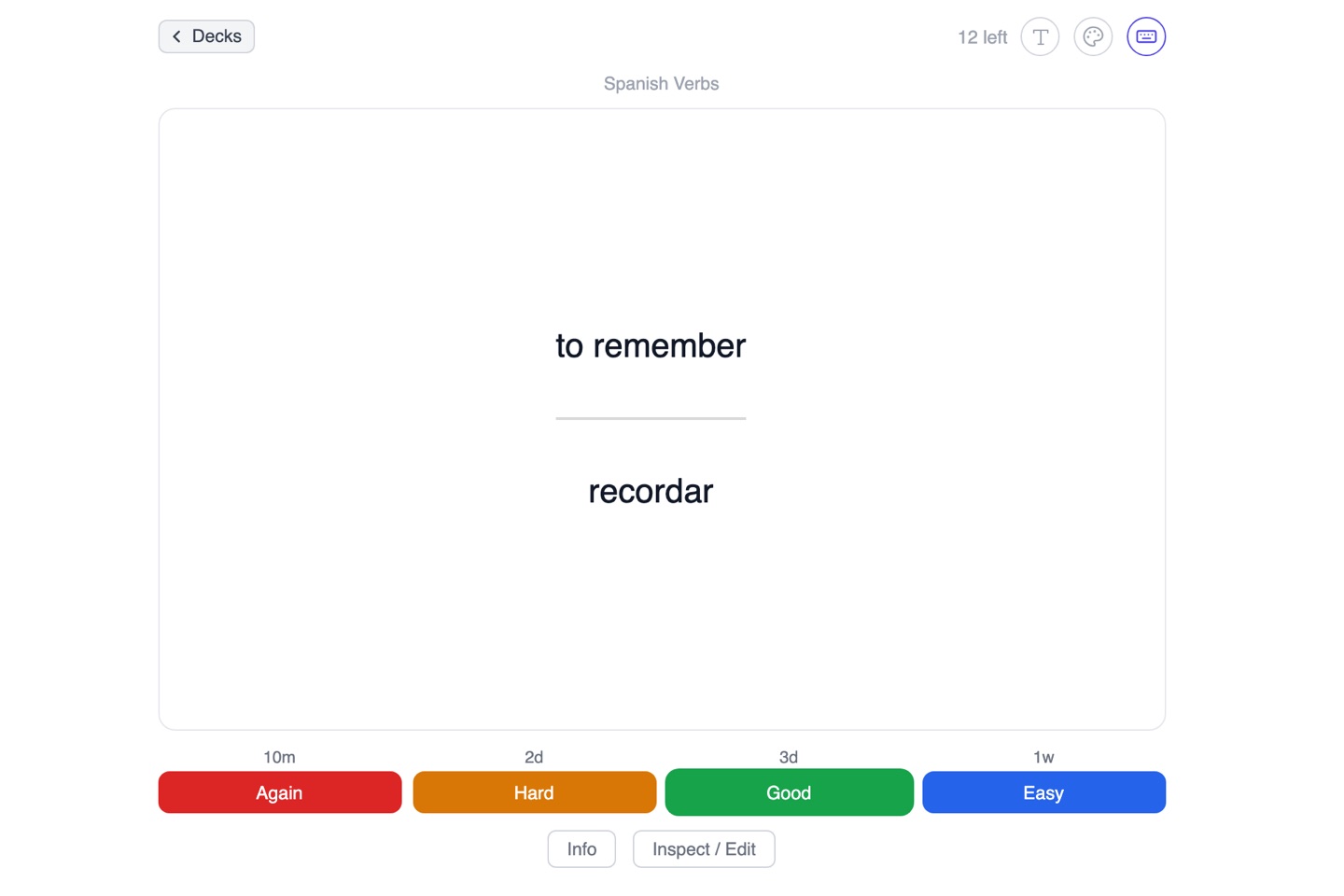
Sign in on your phone, tablet or laptop and your decks and progress are already there. FSRS schedules every review, and you can install Flipnem to your home screen to study offline.
Step-by-step details are in the importing and exporting guide.
Every device
Anki decks on the devices Anki makes hard
Anki’s official iPhone app is a paid download, and Chromebooks and locked-down school or work laptops often can’t install the desktop app at all. Flipnem is a web app, so the same study screen runs everywhere you have a browser.
Install it from the browser to get an app icon, a badge with your due count, and offline study. See install steps for each device.
On iPhone, Flipnem works in Safari and from your home screen, so you can keep building decks in Anki on your computer and study them on your phone without buying AnkiMobile. See Anki for iPhone and iPad for your options.
- iPhone & iPadSafari, or Add to Home Screen for an app icon and offline study.
- AndroidChrome or any modern browser, installable from the browser menu.
- ChromebookRuns in Chrome; nothing to sideload.
- Mac, Windows, LinuxAny browser, or install it as a desktop app from the address bar.
- School & work computersIf you can open a website, you can study. No admin rights needed.
Honest comparison
Flipnem vs AnkiWeb
AnkiWeb is Anki’s own free website. It’s built as a companion to the Anki apps: you review in the browser, but decks are imported and built in Anki desktop or mobile and synced up. Flipnem is a complete app in the browser.
| Feature | Flipnem | AnkiWeb |
|---|---|---|
| Review cards in a browser | Yes | Yes |
| Import an .apkg deck | Yes, in the browser | No, import in an Anki app, then sync |
| Add cards with images | Yes, in the browser | Limited; images are mostly added in the apps |
| Study offline | Yes, when installed to your home screen | No, needs a connection |
| Syncs with Anki desktop and mobile | No | Yes |
| Spaced repetition | FSRS, on by default | Your Anki collection’s settings |
| Price | Free up to 3 decks and 1,000 cards; Scholar $1/month | Free |
AnkiWeb details checked against AnkiWeb’s documentation and forums on November 20, 2026.
AnkiWeb is the better fit if…
You already use Anki on a computer and just want to review now and then on a borrowed machine. It’s free and keeps everything in sync with your Anki apps.
Flipnem is the better fit if…
You want the browser to be the whole app: import decks, add and edit cards with images, and study offline on any device, with no Anki install anywhere.
Weighing Anki itself, or other apps like Quizlet and RemNote? See Flipnem vs Anki and the alternatives, or Anki vs Quizlet. On iPhone, see the Anki on iPhone and iPad page.
What imports
What comes across from Anki
Comes across
- Basic, cloze and most standard note types
- Images and audio on your cards
- Sub-deck structure (
Parent::Child) - Due dates, intervals, FSRS memory state and review history, if you choose to keep scheduling
Doesn’t come across
- Add-on data
- Note types whose templates run JavaScript
- Image Occlusion cards
Pricing
Free to start, $1 a month for big decks
Learner is free with no card required: up to 3 decks, 1,000 cards and
250 MB of media, with FSRS, .apkg import and offline study.
Many shared Anki decks run past 1,000 cards. Scholar is $1 a month (or $10
a year) for unlimited decks and cards, 1 GB of media, .apkg export, deck sharing
and encryption. Every new account gets a 15-day Scholar trial.
Full details: plans and limits.
FAQ
Studying Anki decks online
Can I use Anki online without installing anything?
Yes. AnkiWeb lets you review an Anki collection you already sync from the Anki apps. Flipnem goes further: you import an .apkg file straight into the browser and study, add and edit cards there, with no Anki app needed at any step.
Is there a free way to study Anki decks on iPhone?
AnkiMobile, the official iPhone app, is a one-time $24.99 purchase on the US App Store. AnkiWeb is free in Safari but needs an Anki app to import decks. Flipnem’s free Learner plan runs in Safari and can be added to your home screen; it holds up to 3 decks and 1,000 cards.
Does Flipnem sync with AnkiWeb or Anki desktop?
No. Flipnem is its own system. You import your decks once and they stay in sync across every device you sign in on. On Scholar you can export any deck back to .apkg, so you are never locked in.
Will my review progress come across?
Yes, if you want it to. By default Flipnem resets scheduling so every card starts new. Untick “Reset scheduling” on the import screen to keep each card’s due date, interval, suspended state, FSRS memory state and review history from Anki.
Can I study offline?
Yes. Install Flipnem to your home screen or desktop and your decks are kept on the device. Reviews you do offline sync when you reconnect.
What doesn’t import from Anki?
Add-on data, note types whose templates use JavaScript, and Image Occlusion cards. Basic, cloze and most standard note types import with their images and audio.
How big a deck can I study for free?
The free Learner plan holds up to 3 decks, 1,000 cards and 250 MB of media. Many popular shared decks are larger than that; Scholar removes the deck and card limits for $1 a month, and new accounts get a 15-day Scholar trial.
Is Flipnem made by the Anki developers?
No. Flipnem is an independent app and is not affiliated with Anki, AnkiWeb or Ankitects. It reads the standard .apkg format so you can bring your decks with you.
Get started
Open your Anki deck in the browser
Make a free account, drop in your .apkg, and your first review is a minute away.